Make your first app.

Bring a small, useful idea. Over four weeks you’ll build it with Claude Code — one clear step at a time, with live teaching and weekly feedback.

Bring a small, useful idea. Over four weeks you’ll build it with Claude Code — one clear step at a time, with live teaching and weekly feedback.

Starts

7 June 2027

Format

Live online, Mondays

Time

4–6 hours a week

Cohort

Up to 16 learners

Queue workspace overview showing active projects, incoming requests, delivery rhythm and an assistant panel

One app, built in three stages.

Follow the core request flow within Queue, from a rough outline to a release you can walk someone through. These images show the broader product vision; the cohort focuses on one useful workflow. Use the same steps on a small idea of your own.
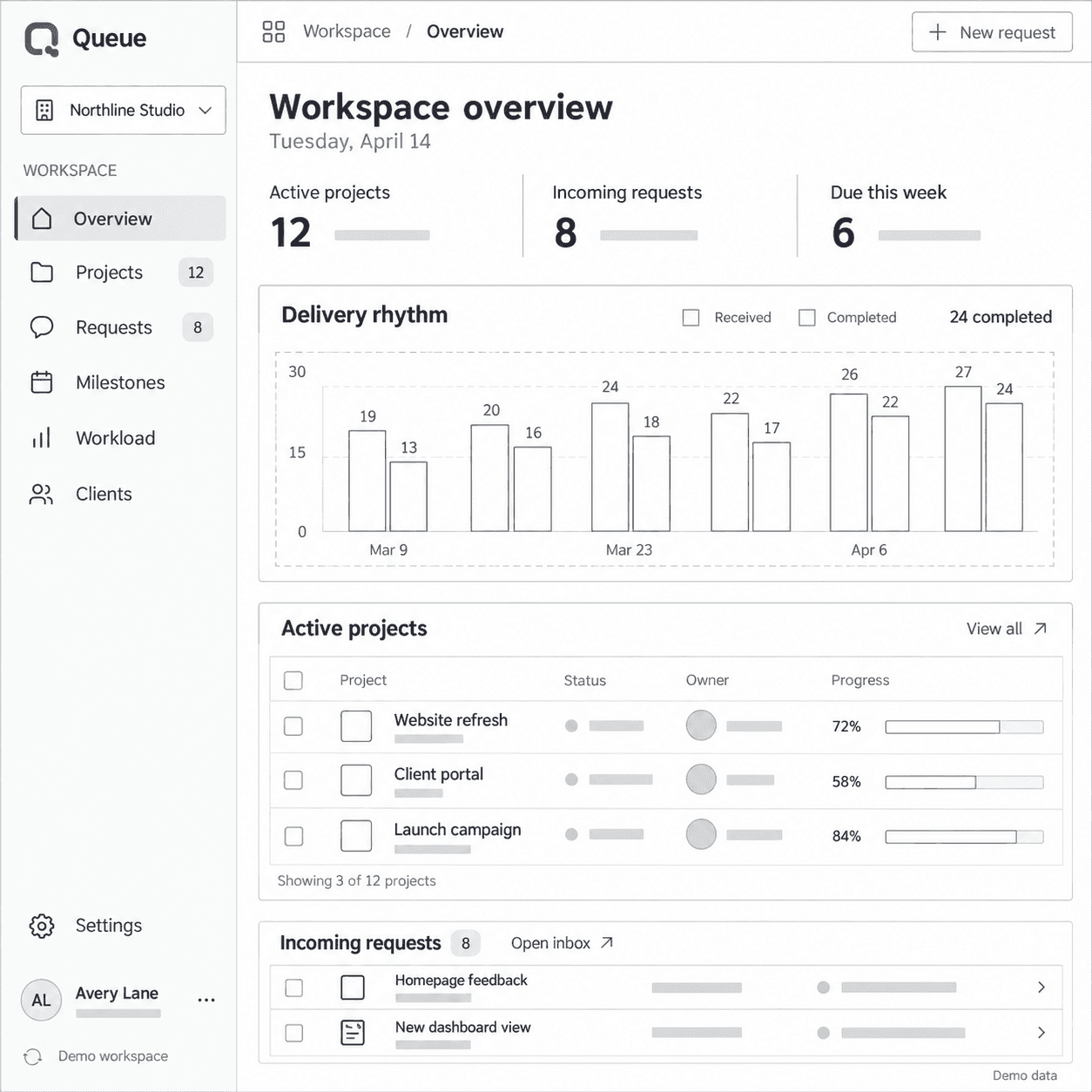
Week 1 sketch of the Queue overview screen as a grayscale wireframe
Week 2 clickable prototype of the Queue overview with real labels and statuses
Weeks 3–4 release version of the Queue overview in full color
Week 1 sketch of the Queue overview screen as a grayscale wireframe
Week 2 clickable prototype of the Queue overview with real labels and statuses
Weeks 3–4 release version of the Queue overview in full color

A small idea is enough to begin.

No coding experience needed. If you don’t have an idea yet, you can build Queue alongside the instructor.

Shiproom is for you if

You’re a founder who wants to test a focused product idea.

You’re an operator or designer with a repetitive workflow worth simplifying.

You’ve tried an AI builder and want a clearer process — and feedback.

What to bring

A laptop, a reliable connection, basic comfort with web apps and 4–6 hours a week.

Keep it low-risk

Use sample data. Payments, sensitive personal data and business-critical tools are out of scope.

Each week ends with something to show.

Build between sessions, bring your questions, and use each review to choose your next step.

Week 1

Monday, 7 June

Give the idea a boundary

Pick the user, describe the problem and agree on the smallest useful version. Learn how to give an AI builder enough context to start well.

You’ll have

A one-page project brief and a screen map

Review question

“Can someone explain what this app is for in one sentence?”

Week 1

Monday, 7 June

Give the idea a boundary

Pick the user, describe the problem and agree on the smallest useful version. Learn how to give an AI builder enough context to start well.

You’ll have

A one-page project brief and a screen map

Review question

“Can someone explain what this app is for in one sentence?”

Week 2

Monday, 14 June

Make the interface understandable

Build the first screens. Work through labels, spacing and the main action, then try the same flow on a phone.

You’ll have

A clickable interface and a short feedback list

Review question

“Is the next step obvious without an explanation?”

Week 2

Monday, 14 June

Make the interface understandable

Build the first screens. Work through labels, spacing and the main action, then try the same flow on a phone.

You’ll have

A clickable interface and a short feedback list

Review question

“Is the next step obvious without an explanation?”

Week 3

Monday, 21 June

Make the main action work

Decide what a request stores, connect the basic behavior and learn a repeatable way to describe a bug. Keep checkpoints so small changes stay manageable.

You’ll have

One working core flow and a simple test list

Review question

“What happens when the input is missing or unexpected?”

Week 3

Monday, 21 June

Make the main action work

Decide what a request stores, connect the basic behavior and learn a repeatable way to describe a bug. Keep checkpoints so small changes stay manageable.

You’ll have

One working core flow and a simple test list

Review question

“What happens when the input is missing or unexpected?”

Week 4

Monday, 28 June

Prepare a careful first release

Review the app’s limits, permissions and rough edges. Practice deployment with guidance and record a walkthrough of what the first version can do.

You’ll have

A release checklist, a walkthrough and a next-steps list

Review question

“What should someone know before they try this?”

Week 4

Monday, 28 June

Prepare a careful first release

Review the app’s limits, permissions and rough edges. Practice deployment with guidance and record a walkthrough of what the first version can do.

You’ll have

A release checklist, a walkthrough and a next-steps list

Review question

“What should someone know before they try this?”

Bring the part you’re stuck on.

A rough screen, a confusing error, a feature that grew too large. We use the work in front of us to make the next decision clearer.

The Queue workspace that the example feedback refers to

Keep the first screen to the request title and its status. Add due dates once that flow is clear.

Alex Reed

Example feedback on a Week 2 review

Live workshops

Each week follows the sample app and explains the choices behind the build. Pause anytime to ask why.

Written reviews

Submit one focused update each week and get written notes on what to do next.

A shared thread

Post a screenshot, the step you tried and what happened. Replies within two working days.

AI-generated portrait · Alex Reed is a fictional instructor.

Your instructor

Alex Reed

Independent software builder and instructor

Alex teaches founders and nontechnical teams to turn small workflow problems into understandable software.

Every session starts with one question: what does this app need to help someone do? Alex connects the answer to a brief, an interface and a clear way to check the result.

Scope the idea

Find the smallest useful version and write it down.

Explain the decision

Every build choice comes with the reason behind it.

Review the work

Honest notes on what works and what needs attention.

Make room for four weeks of building.

One live workshop a week, a written review of your progress, and a clear deliverable to work toward.

June 2027 cohort

$390

USD, one payment

Four live workshops, with recordings

Four written project reviews

Questions answered within two working days

The sample project and four worksheets

Full refund until the first workshop starts.

Workshops

Mondays, 7, 14, 21 and 28 June 2027

Time

17:00–18:30 UTC, live online

Practice

4–6 hours a week, including the live session

Group size

Up to 16 learners

Access

Recordings and materials for 12 months

Tools

Claude Code, GitHub and Vercel. Subscriptions are paid to each provider, not included.

Refunds

Full course-fee refund before 7 June 2027, 17:00 UTC. None after the first workshop.

Before you pull up a chair.

Still deciding? Write to hello@shiproom.example and Alex will reply within two working days.

No. The course starts with a brief and introduces technical ideas as they become useful. You’ll still test what the AI produces and work through problems as they come up.

Give your idea a place to become real.

  1. Week 1

    A brief you can explain

  2. Week 2

    A screen people can click

  3. Week 3

    One flow that works

  4. Week 4

    A first release to show

Four weeks. Sixteen seats. Starts 7 June 2027.

Create a free website with Framer, the website builder loved by startups, designers and agencies.